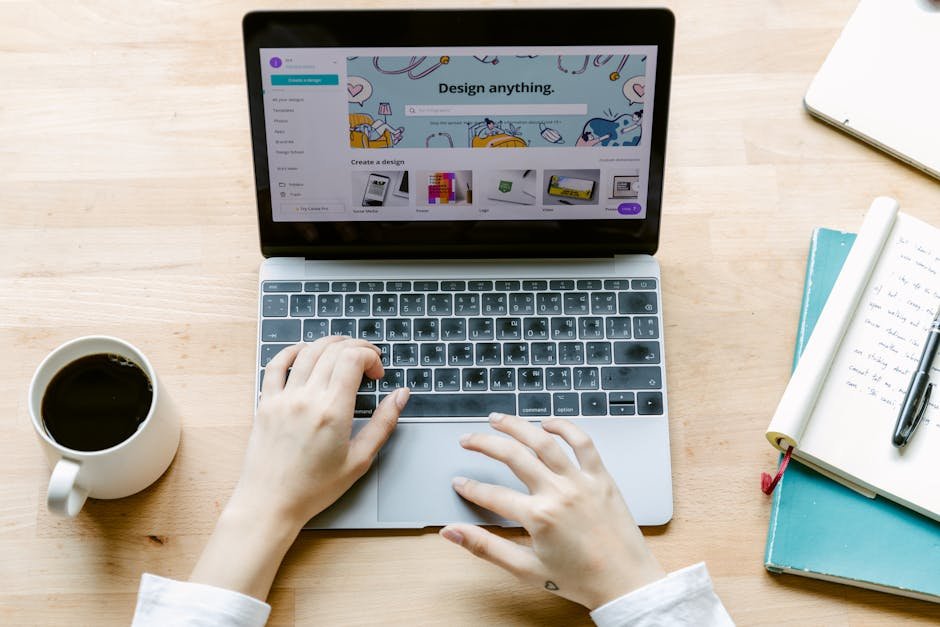
Starting out as a freelancer can feel like venturing into the wild unknown. I know because I’ve tested countless freelance platforms over the years, each with its own quirks and offerings. It’s a bit like dating apps—lots of promises, but only a few worth committing to. The real challenge is finding the right platform that can genuinely help you launch or grow your side hustle. Trust me, it’s crucial to choose wisely unless you want to end up frustrated and losing time chasing short-term gigs that lead nowhere. So, let’s dive into the best freelance platforms for beginners in 2026, ones that will not only help you get noticed but truly kickstart a sustainable freelance career.
Now, I’m not one to mince words, and I’ve learned the ropes the hard way. Having tested upwards of 30 different platforms, I’m here to share my insights to help you avoid the same pitfalls. Whether you’re looking to start your side hustle as a graphic designer, writer, or a virtual assistant, these platforms can be your ticket to finding clients who are willing to pay what you’re worth. Let’s break down the pros and cons of each, assess their key features, and find the one that matches your skills and ambitions.
Upwork
What It Is
Upwork is a freelance marketplace that connects you with clients seeking services in tech, admin, writing, and more. It’s a massive platform with thousands of job postings available every day, making it ideal for newcomers who want variety.
Feature Analysis
One of Upwork’s standout features is its robust search filters allowing you to find gigs that precisely match your skills and preferences. The time tracking tool is handy for ensuring accurate billing, while the review system helps establish credibility. Proposals are straightforward, and with skill assessments, you can enhance your profile’s visibility.
The Good
The sheer volume of jobs on Upwork is unmatched. I found gigs ranging from simple data entry to complex web development tasks. Payment protection is a game-changer; I’ve never had to worry about not getting paid. There’s also massive scope to pivot and try different types of freelancing as your skills grow.
The Bad
Competition can be fierce, with many beginners underbidding to win contracts. The platform fee can eat into your profit—starting at 20% for the first $500 with a single client. The review system, while beneficial, can be a double-edged sword if you get a tough client.
Pricing
Upwork charges a sliding fee based on your lifetime billings with each client: 20% for the first $500, 10% for billings between $500.01 and $10,000, and 5% for anything above. There’s also the option of a paid membership for more connects.
Who Should Use It
Beginners who want access to a wide range of jobs and are willing to invest time to build their profiles will benefit the most. It’s also a good fit for freelancers wanting versatility in job types.
Rating: 8/10
Fiverr
What It Is
Fiverr is a platform where freelancers offer services (gigs) starting at $5, hence the name. It caters to hundreds of categories including graphic design, marketing, writing, and more.
Feature Analysis
Fiverr’s gig-based system allows you to set your services and prices. You can create packages with varying levels of complexity. The seller levels provide a significant motivation factor—higher levels bring perks such as appearing in Fiverr’s promotions.
The Good
It’s great for building a freelance career because you control pricing and services. Fiverr’s user-friendly dashboard makes it easy to manage orders and communicate with clients. I particularly appreciate the option to receive tips, which has been a fun and unexpected bonus on several occasions.
The Bad
Competition at the low end can be intense, with many freelancers offering underpriced services. The 20% fee on earnings can take a hefty slice of your income. Also, I’ve noticed that moving up Fiverr’s level system can be slow.
Pricing
Fiverr charges a flat 20% on all transactions. The site’s promotions and gig boosts have their own fees, requiring an additional investment if you choose those options.
Who Should Use It
Ideal for creatives—designers, writers, and digital marketers who want to market specific services. A good choice if you like setting distinct packages and have clear service offerings.
Rating: 7/10
Freelancer
What It Is
Freelancer.com is one of the oldest platforms in the business, offering a wide array of jobs across different categories. With a bidding system, it’s similar to Upwork but with its own unique twists.
Feature Analysis
Freelancer features a user-friendly project listing interface and allows for bidding on projects. The milestone payments system is comparable to Upwork’s, providing peace of mind that funds are managed appropriately.
The Good
Wide-ranging opportunities mean you can find work in very niche industries. Their contest feature is worth mentioning; winning a contest can land you a significant payday and a steady client relationship. I’ve found this particularly beneficial for creative projects.
The Bad
Fees can be confusing, with charges for everything from project posting to currency conversion. The platform’s layout feels outdated, and it can sometimes be overwhelming for first-time users. My experience also suggests job quality can vary immensely.
Pricing
Freelancer takes a 10% fee or $5 minimum (whichever is greater) on fixed-price projects, and 10% on hourly work. There are different subscription options if you want more bids or highlighted profiles.
Who Should Use It
Best suited for those who enjoy the bidding aspect and are flexible in their project types. Also great for people who appreciate a competitive environment.
Rating: 6/10
PeoplePerHour
What It Is
PeoplePerHour is a UK-based platform that connects clients with freelancers for various projects. It’s known for its focus on high-quality, professional services rather than cheaply available labor.
Feature Analysis
One of its standout features is the proposal acceptance system, allowing you to gain access to higher quality and more committed clients. The workstream feature is fantastic for communication and managing deliverables effectively.
The Good
Professional job postings tend to attract better-paying clients. It’s particularly strong for European freelancers due to its regional popularity. I like that the platform takes pride in quality over quantity, ensuring only the best matches.
The Bad
The limited number of free applications means you’ll need to be strategic about where you bid. Exchange rate differences can create challenges if you’re not based in Europe. During my own trials, I found fewer postings for non-European clients, which can limit opportunities.
Pricing
Freelancers are charged a 20% fee on earnings up to £250, 7.5% up to £5,000, and 3.5% beyond, similar to Upwork’s tiered system. There’s also an option to pay for feature enhancements.
Who Should Use It
Ideal for professionals offering niche, high-quality services, particularly those targeting European-based clients. Great for anyone who despises the race-to-the-bottom pricing wars.
Rating: 7/10
Guru
What It Is
Guru is a freelancing platform focused on transparency and ease of collaboration. It’s known for offering new freelancers the ability to easily build portfolios and find their stride.
Feature Analysis
Key features include a robust job-matching algorithm and the Work Room, a space that combines project management and communication tools. The SafePay feature ensures you’re guaranteed payment.
The Good
I’ve found the Guru marketplace to be fair and transparent. It’s straightforward without unnecessary gimmicks, focusing on real talent connection. The project tracking tools are intuitive, facilitating seamless project management.
The Bad
The user base isn’t as large as other platforms, which might restrict client variety. I’ve sometimes experienced slower project listings. Also, one has to work a bit harder to stand out compared to platforms that allow for more personal branding.
Pricing
Guru charges a 5% handling fee on all transactions. Their membership plans offer reduced fees and other benefits like access to premium job listings for $11.95 to $49.95/month.
Who Should Use It
Freelancers who value straightforward professionalism and want a dependable platform. Best suited for those who appreciate simplicity and direct client dealings.
Rating: 6/10
Toptal
What It Is
Toptal is an exclusive network of top freelancers in various fields, including software engineers, designers, and finance experts. It’s known for its rigorous screening process.
Feature Analysis
Toptal’s key feature lies in its vetting process, ensuring only the cream of the crop gains access. The platform emphasizes quality over quantity, matching high-caliber freelancers with top-tier clients.
The Good
Working with Toptal clients means collaborating with renowned brands on significant projects. As a freelancer, you’re assured of excellent pay rates. My experience with Toptal was beyond rewarding—providing access to professional growth opportunities.
The Bad
The entry bar is exceedingly high; only a small percentage of applicants get through. This rigorous selection can be discouraging for new freelancers. Also, Toptal’s focus on top talents limits broader engagements.
Pricing
While Toptal doesn’t charge freelancers directly (fees are borne by clients), understand that getting to a point where you start earning requires significant qualification effort.
Who Should Use It
Ideal for seasoned professionals who have substantial experience and are ready to take on challenging roles. Best suited for those looking to maximize their expertise and future-proof their freelancing career.
Rating: 9/10
99designs
What It Is
99designs focuses on connecting designers with businesses in need of design services. It offers design contests and direct project hire options.
Feature Analysis
The design contest is a unique feature, where multiple designers submit concepts, and the client chooses a winner. There’s also a traditional hiring process for those who prefer direct collaboration.
The Good
A dedicated design platform ensures clients are targeted, and serious about design, leading to fair compensation. Winning a contest can boost visibility and credibility. From experience, I love the idea of competing healthily with other creatives on specific briefs.
The Bad
Competitions can mean investing time without guaranteed pay. The limited focus means it’s exclusively for design professionals. There’s a platform fee that eats into designers’ earnings significantly.
Pricing
99designs takes a variable service fee ranging from 5% to 15% on all client invoices. Designing contests have a specific participation fee structure.
Who Should Use It
Best suited for designers, especially those who thrive on competition and want to showcase their ability to meet creative briefs. Perfect if you love detailed design work.
Rating: 7/10
| Tool Name | Best For | Starting Price | Free Plan | Rating |
|---|---|---|---|---|
| Upwork | Versatility in job types | $0 | Available | 8/10 |
| Fiverr | Creative task-based gigs | $0 | Available | 7/10 |
| Freelancer | Competitive bidding | $0 | Available | 6/10 |
| PeoplePerHour | High-quality, niche services | $0 | Available | 7/10 |
| Guru | Simplicity and professionalism | $0 | Available | 6/10 |
| Toptal | Seasoned professionals | $0 (Fees for clients) | Available | 9/10 |
| 99designs | Design competitions | $0 | Available | 7/10 |
Common Mistakes People Make When Choosing Freelance Platforms
One of the biggest mistakes is chasing big names without evaluating personal fit. Not all platforms are designed for every skill or freelancing style. Another pitfall is underestimating competition; it requires strategic thinking, not just signing up. Overlooking fees is a rookie error. They can add up quickly, affecting your bottom line more than you think. Some newbies also set unrealistic pricing without researching industry standards, which either undercuts their worth or scares clients away. Relying solely on one platform can be risky; diversification is key. Lastly, ignoring user reviews and experiences can lead to surprises—most of which aren’t pleasant.
How To Choose The Right Freelance Platform
First, identify your core skills and desired industries. Platforms like 99designs are tailored for designers, while Upwork offers broader options. Consider how much you’re willing to compete versus how much time you want to spend per engagement. Check the fee structure—what looks like small percentages can quickly eat into profits on smaller gigs. Think about long-term career goals; Toptal suits professionals ready to commit, while Fiverr is great for those testing waters. Also, gauge the ease of building a portfolio on the platform and the available support systems. Ask yourself: does the platform boost, or limit your potential?
My Verdict
Toptal emerges as the clear winner for professionals ready to deliver the highest standard of work consistently. Its rigorous vetting process matches freelancers with top-tier clients, ensuring rewarding opportunities. For beginners, Upwork remains the best starting point due to its wide-ranging job types and supportive network. Meanwhile, Fiverr takes the runner-up slot for those exploring creative freelancing with a predefined skill set. Each platform has its strengths, but identifying where your services fit best with client demand is central to success.
Frequently Asked Questions
What is the best freelance platform for newbies in 2026?
Upwork takes the crown due to its massive job variety and supportive ecosystem for building beginner portfolios.
Which freelance platform is best for creative professionals?
99designs is the go-to for designers interested in project-based work, while Fiverr suits a broader range of creative gigs.
How do platform fees work on Upwork?
Upwork fees start at 20% for the first $500 earned with a client, then drop to 10% up to $10,000, and 5% beyond.
Can I join Toptal straight out of college?
Toptal typically requires substantial experience as it targets seasoned professionals; it’s advisable to build experience first.
What makes Fiverr a good option for beginners?
Fiverr allows beginners to define services and rates, develop packages, and control their pricing in a user-friendly manner.
Are there free membership options for PeoplePerHour?
Yes, PeoplePerHour offers free membership with a limited number of monthly proposals.
Can freelancers make a sustainable income on Freelancer.com?
Yes, with strategic bidding and taking advantage of contests, freelancers can generate steady income.
How important is it to diversify across platforms?
Diversification is key for steady income and reduces reliance on one source, shielding against platform-specific slowdowns.
Test everything. Trust nothing. — Alex
P.S. Want my complete list of tested and approved side hustle tools? Grab my free ebook here.

Leave a Reply